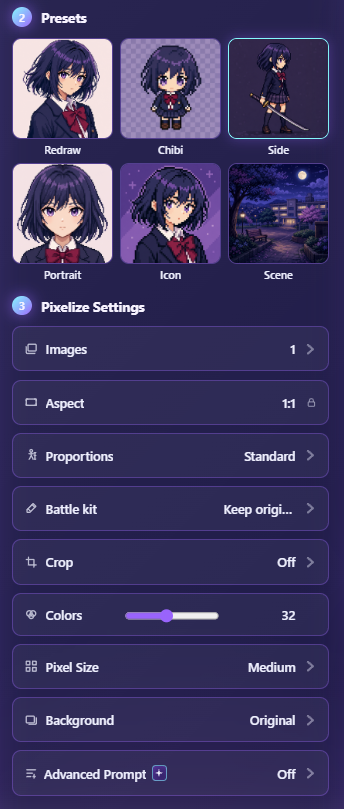
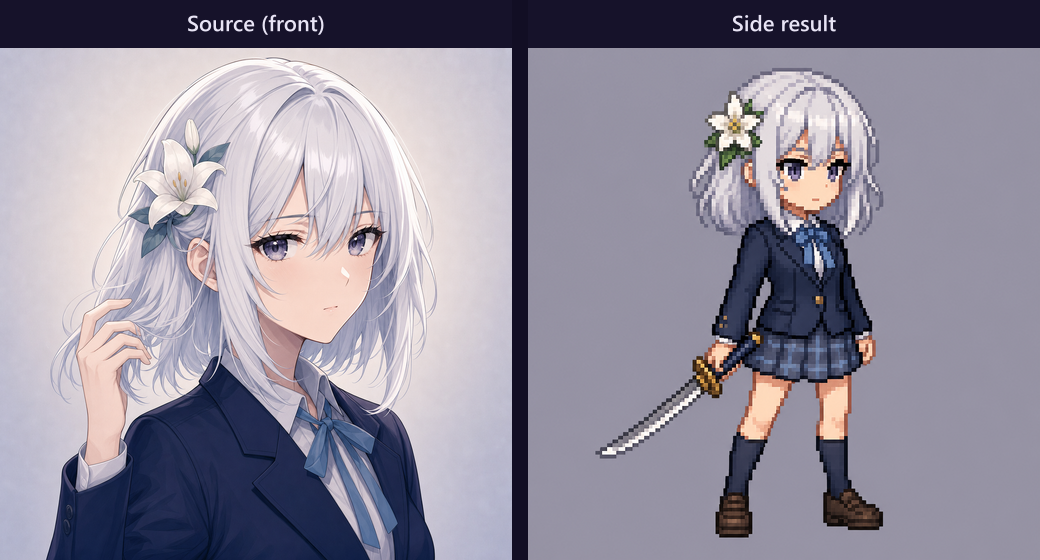
The Side preset aims for side or three-quarter character views. Use it when the source is mostly front-facing and you want another angle for a small set, turnaround sheet, or variety pack—not when you need a perfect match to the upload.
Square 1:1 output with Pixel Size. See Pixelize presets for the decision tree across all six presets.
When Side helps
- Building a few angles of the same character for a game mockup or sticker pack.
- The front shot is fine but you want a profile-style pixel remake.
- You accept that the model must invent geometry the photo does not show.
When to switch away
- Asymmetric hair, logos, or text must stay on the correct side → prefer Redraw.
- You need a face-forward avatar → Portrait.
- The environment matters more than the figure → Scene.
Practical setup
- Open Pixelize, upload one clear character.
- Crop so the figure fills most of the square preview.
- Choose Side, Pixel Size → Medium, simple background.
- Generate once. If the invented angle feels wrong, switch preset instead of regenerating five times.
- Download PNG; clean with Remove Background if you need cutouts.
Expectation check
Side will guess limbs, hair volume, and prop placement. Treat the result as a new drawing guided by your source, not a 3D rotate. For faithful composition with a fixed ratio, stay on Redraw and set aspect manually—see Crop and aspect ratio.