Wanting a “Discord pixel emote” or Twitch-style react is not the same job as a full profile avatar or a classic photo mosaic. Chat fails when the silhouette dies at a few dozen pixels on screen—so this guide stays on tiny, readable, usually transparent tiles. AniPixel’s path is an AI redraw on Pixelize (Icon or Chibi), then free cleanup in the browser. For a larger square profile image, use the pixel art avatar guide; for blocky photos that keep the same layout, open Pixelate.
Build for readability first: bold shapes, limited colors, one joke per tile. That mix also works for server reacts, stream overlays, and sticker-adjacent packs—as long as you check the design at chat scale before you upload.
Emote recipe
- Open Pixelize with a single clear subject (face, hand prop, or simple mascot pose).
- Choose Icon for maximum simplicity, or Chibi for a cute character emote (Chibi walkthrough).
- Keep 1:1. Prefer transparent or flat backgrounds.
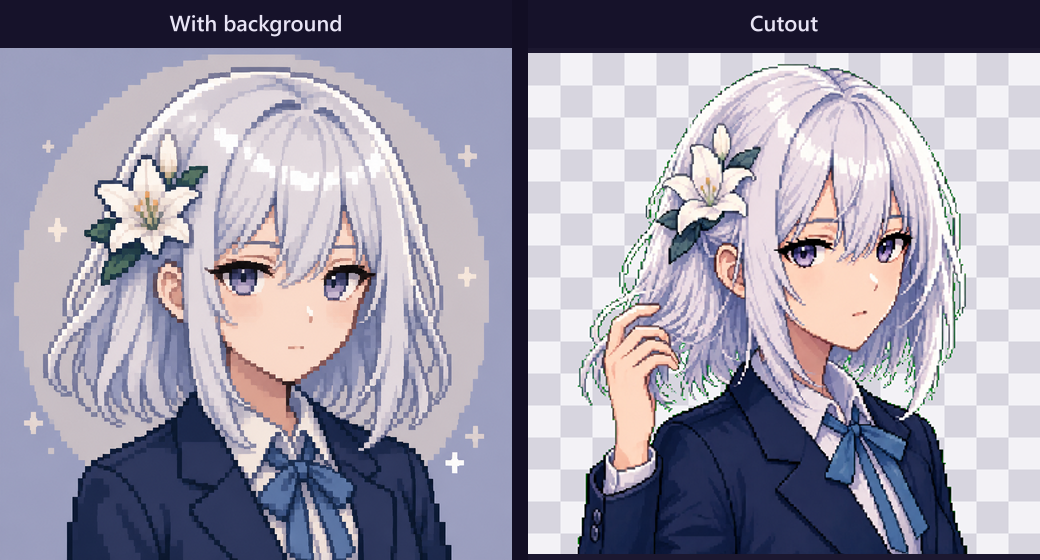
- Generate, download, then cut out a transparent emote PNG.
- Optional: Fix Pixel Grid → export a crisp integer scale that matches your upload target.
What size should a Discord or Twitch pixel emote be?
AniPixel exports the generation resolution; Discord, Twitch, and other apps each define their own upload limits and on-screen sizes. Treat the official platform guide as the source of truth—those numbers change. While you design, zoom the PNG to about 64px wide on a dark background: if the gag disappears, simplify and regenerate before you care about exact upload pixels. When in doubt, keep a square transparent PNG with a hard silhouette and let the client scale down.
Other habits that survive chat compression:
- Avoid tiny text inside the emote; letterforms collapse first.
- One idea per emote beats a crowded scene.
- For a full profile picture rather than a react, switch to the avatar workflow.
Item-style reacts in one run
If you need a tray of item reacts (swords, potions, status marks), run Icon Pack once instead of six separate face runs. Keep character-face reacts on Icon or Chibi one at a time. For larger transparent stickers outside chat, see pixel art stickers.