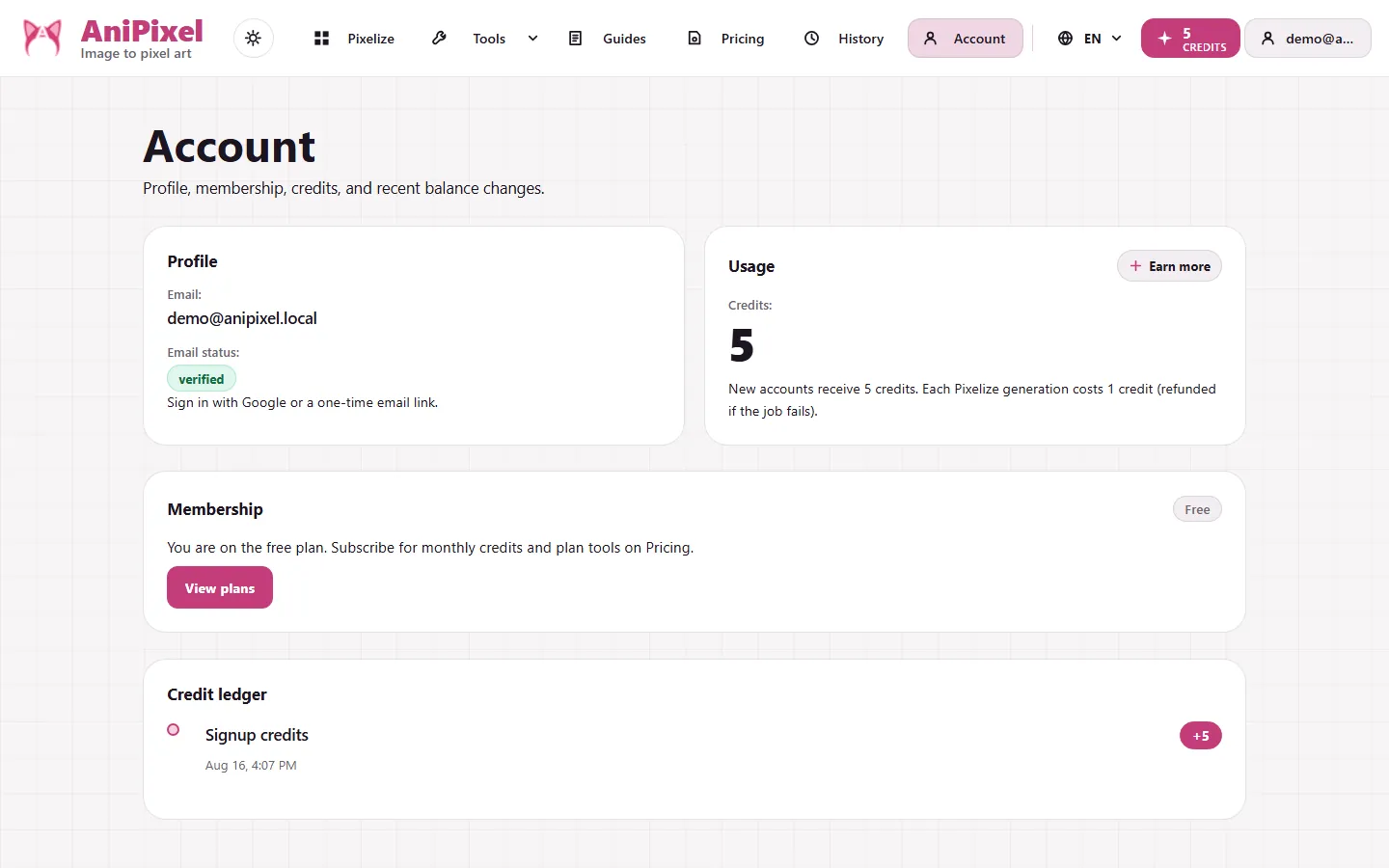
Cancel a plan, resume renewal, update your card, or check plan status from Account after you sign in. From Account you can cancel, resume, update the card, or check status. To pick a new tier, go to Pricing.
Quick path
- Open Account while signed in.
- Check membership status (free, active, past due, canceling, and similar).
- Cancel or Resume when you want to change how renewal behaves.
- Update payment method when the card needs a refresh.
- View / change plans when you want a different monthly tier. That jumps to Pricing.
What Account shows
Profile
Email on the account and whether it is verified. Sign-in still happens through Google or an email code, with no separate password screen. Verification matters for the free-credit paths below: sharing, invitations, and redeem codes require a verified email.
Usage and membership
- Current credit balance context.
- Membership state and VIP status when subscribed.
- Plan name, monthly credits, and renewal date when applicable.
- Payment failure badges when a charge did not go through.
Credit ledger
A simple list of credit events: signup grant, generations, refunds, purchases, subscription grants, and similar entries. Use it when a balance looks unexpected. Each row names the reason, so a mismatch is traceable: a "granted" line that should have landed but did not is the thing to report to support.
Free credit paths in Account
Account also opens the Earn credits dialog with the current live paths:
| Path | Reward | When |
|---|---|---|
| Share a result | +1 credit the first time in a day | Publish any result to a share link and copy or share to social |
| Invite a friend | +3 credits when they finish their first Pixelize run | Share your invite code; the reward lands after their first generation |
| Redeem a code | +1 credit within 24 hours of signup | Enter a valid redeem code from the dialog |
These are small but real. If you generate occasionally, one shared result can cover your next image — more on plans and credits in when you need VIP.
Where to find related answers
| Need | Go to |
|---|---|
| How credits are spent / refunded | When you need VIP |
| Whether you need VIP features | When you need VIP |
| Plan prices, pack sizes, upgrade math | Plans, credit packs, and when you need VIP |
| Past Pixelize PNGs | History |
Account vs Pricing
| Job | Where |
|---|---|
| Cancel / Resume / update card / read ledger | Account |
| Pick Basic / Creator / Pro or a credit pack | Pricing |
| Compare VIP gates before paying | When you need VIP |
If a status badge says payment failed or payment needed, finish the payment or update the card first. Plan changes stay blocked until that clears — a pending charge and an upgrade request at the same time create confusing balances. Fix the payment first — plan changes stay locked until then.
When you sign in but see no plan
A brand-new account has no subscription. "Free" membership is the default state: you still hold starter credits (see when you need VIP). Seeing no VIP gates or renewal date here is normal until you actually subscribe — it does not mean your login failed (Login).
Common mix-ups
- Cancel ≠ lose VIP today. Canceling usually means you keep access until the current period ends; Resume if you change your mind before then.
- Past due ≠ canceled. Past due means a payment problem. Update the card or finish payment. Canceling is a separate renewal choice.
- Account ≠ Pricing. Account manages the subscription you already have; Pricing is where you pick or change a plan.
- Downgrade is not instant. Moving to a lower monthly tier takes effect on the next renewal; you keep the current plan until then (Plans, credit packs, and when you need VIP).
- Canceling is not deleting your account. Canceling stops renewal; your account, history, and credit balance remain. There is no "delete everything" toggle inside the billing panel — contact support if you need that.
If something looks wrong
- Balance dropped unexpectedly → open the credit ledger and look at the most recent rows. Failed generations should show refunds; anything else is explained there.
- Renewal date moved → that is expected after an upgrade/downgrade; the next renewal is the new plan's date.
- Charge failed but you still have credits → membership may sit in "past due" while balance is untouched; resolve the payment before spending on a plan change.
More on packs and plans: Plans, credit packs, and when you need VIP.